mirror of
https://github.com/lukaszraczylo/tdlib-telegram-bot-api-docker.git
synced 2026-06-05 22:33:43 +00:00
 Lukasz Raczylo
56 lines
2.7 KiB
Markdown
56 lines
2.7 KiB
Markdown
# tdlib-telegram-bot-api-docker
|
|
|
|
## Purpose of the project
|
|
|
|
Produce working, minimal Docker image for the Telegram Bot API server together with easy
|
|
to use pipeline generating builds on the changes within the main repository managed by
|
|
Telegram team.
|
|
|
|
**Motivation:** [#0](https://medium.com/swlh/building-your-home-raspberry-pi-kubernetes-cluster-14eeeb3c521e), [#1](https://github.com/tdlib/telegram-bot-api/issues/65), [#2](https://github.com/tdlib/telegram-bot-api/issues/65)
|
|
|
|
This project does not modify any part of the [tdlib/telegram-bot-api](https://github.com/tdlib/telegram-bot-api) code.
|
|
|
|
## Issues
|
|
|
|
As I do not modify any part of the server code I am not responsible for the way it works. For that purpose you should open an issue on the [telegram bot api server](https://github.com/tdlib/telegram-bot-api/issues) issue tracker.
|
|
|
|
**TL;DR:** My responsibility ends when container and binary starts.
|
|
|
|
## Build schedule
|
|
Build will be triggered automatically once a week to produce the latest version of the Telegram API Server.
|
|
I would set it for the daily release but every build takes ~2.5 hours and generates additional costs on my side.
|
|
|
|
Images are versioned in format `1.0.x` where `x` is a build number.
|
|
There's additional version tag added, for example `api-5.1` where `5.1` is the version of Telegram API supported by the image.
|
|
|
|
## How to use the image
|
|
|
|
Images created within this project support following architectures: AMD64 and ARM64
|
|
|
|
Yes, it means you can run them on regular servers and **Raspberry Pi 4** and above as well! 🥳
|
|
|
|
### Github authentication
|
|
|
|
~~You may need to authenticate with github ([see this thread](https://github.community/t/docker-pull-from-public-github-package-registry-fail-with-no-basic-auth-credentials-error/16358/87)) to pull even the publicly available images. To do so you need to create [Personal Access Token](https://github.com/settings/tokens/new) with `read:packages` scope and use it to authenticate your docker client with the Github Docker Registry.~~
|
|
|
|
Update: After move to GHCR.io there's no need authenticate and you should be able to pull images without any additional magic.
|
|
|
|
### Docker configuration
|
|
|
|
```
|
|
docker pull ghcr.io/lukaszraczylo/tdlib-telegram-bot-api-docker/telegram-api-server:latest
|
|
docker run -p 8081:8081 -e TELEGRAM_API_ID=yourApiID -e TELEGRAM_API_HASH=yourApiHash -t ghcr.io/lukaszraczylo/tdlib-telegram-bot-api-docker/telegram-api-server
|
|
```
|
|
|
|
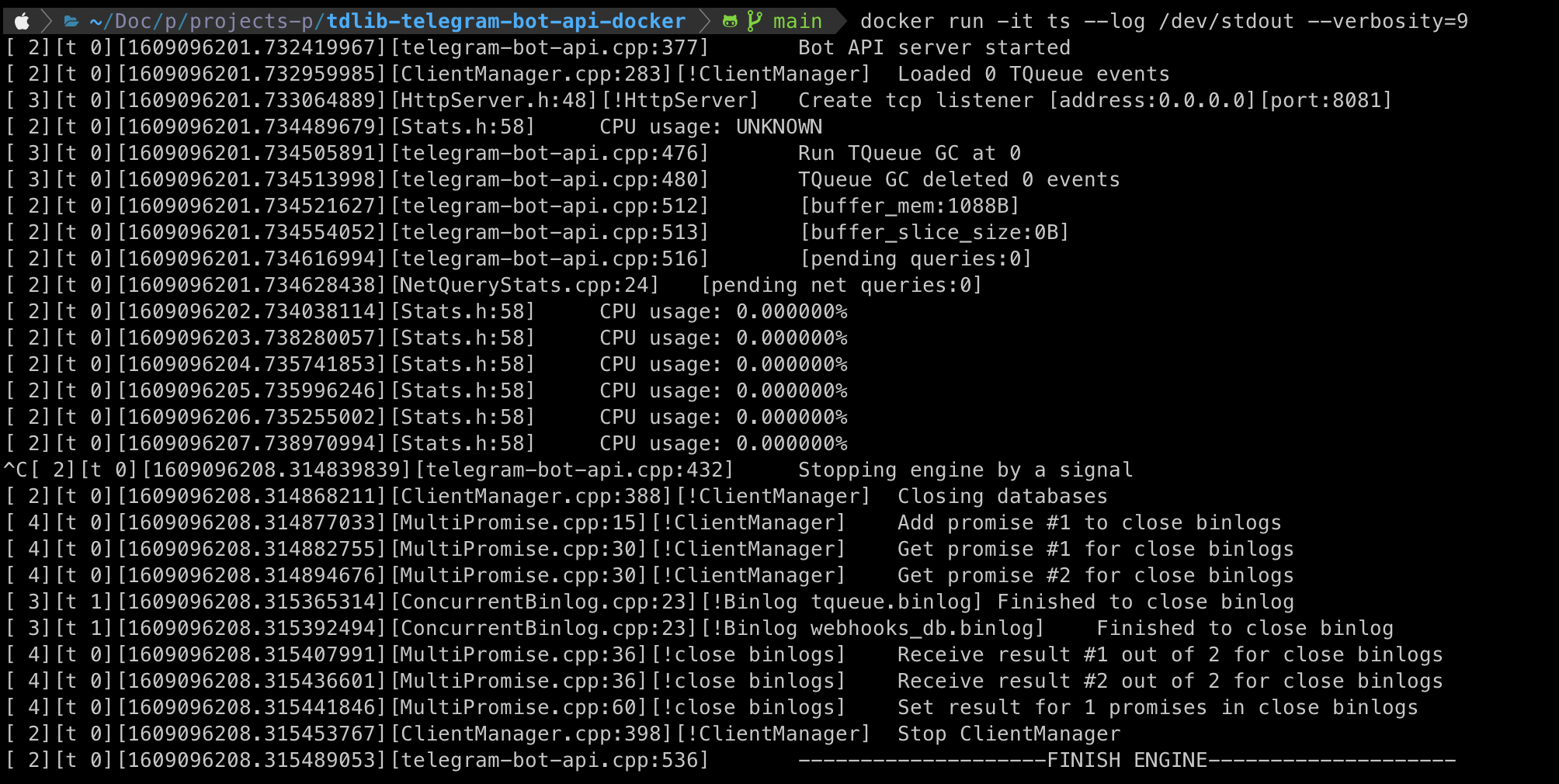
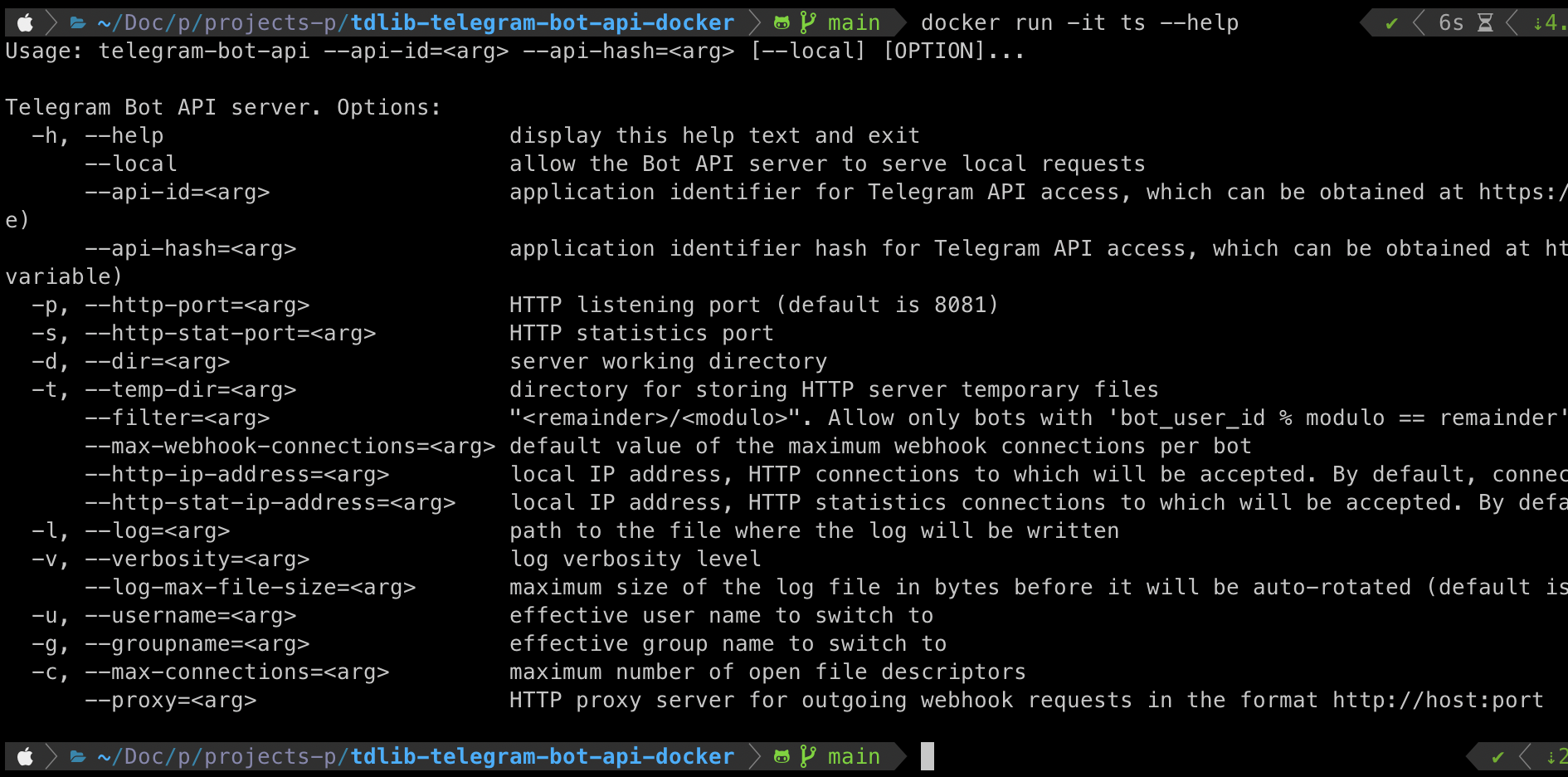
*Thing to remember:* Entrypoint is set to the server binary, therefore you can still modify parameters on the go, as shown below
|
|
|
|
#### Setting the log output and verbosity
|
|
|
|
|
|
#### Printing out the help
|
|
|
|
|
|
### Kubernetes configuration
|
|
|
|
TBC;
|